
1
1. Upload Your Photo
Drop any JPG, PNG, WebP, or HEIC image. We'll extract EXIF data automatically.
Upload one photo, add polished text overlay, and export a post-ready visual in seconds.
TextOverlay is an AI photo text editor for captions, polaroid frames, GPS coordinates, and aesthetic typography.
Start with your photo, choose a look, and create a shareable design without opening a full design app.
Start free, then upgrade when you need HD exports or more credits.
from 99+ happy users
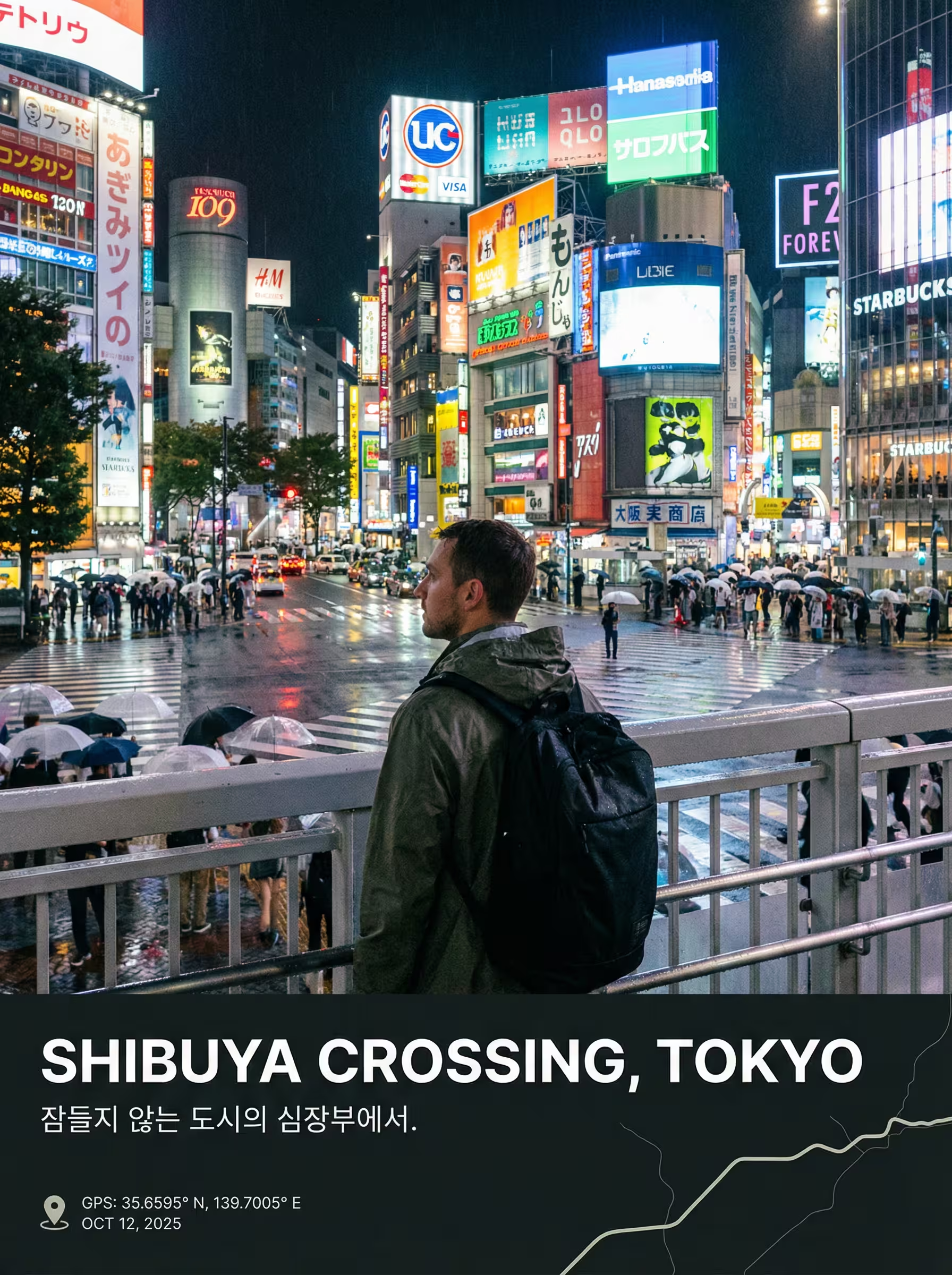
Upload one photo, add polished text overlay, and export a post-ready visual in seconds.
Start free, then upgrade when you need HD exports or more credits.
Pick a result
Start with a polished layout for travel overlays, aesthetic polaroids, or caption-ready social posts.
Add GPS coordinates, a location stamp, and travel photo overlay styling to your favorite trip photos.

Turn daily snaps into an aesthetic polaroid frame with cozy captions and Korean handwriting-inspired text.
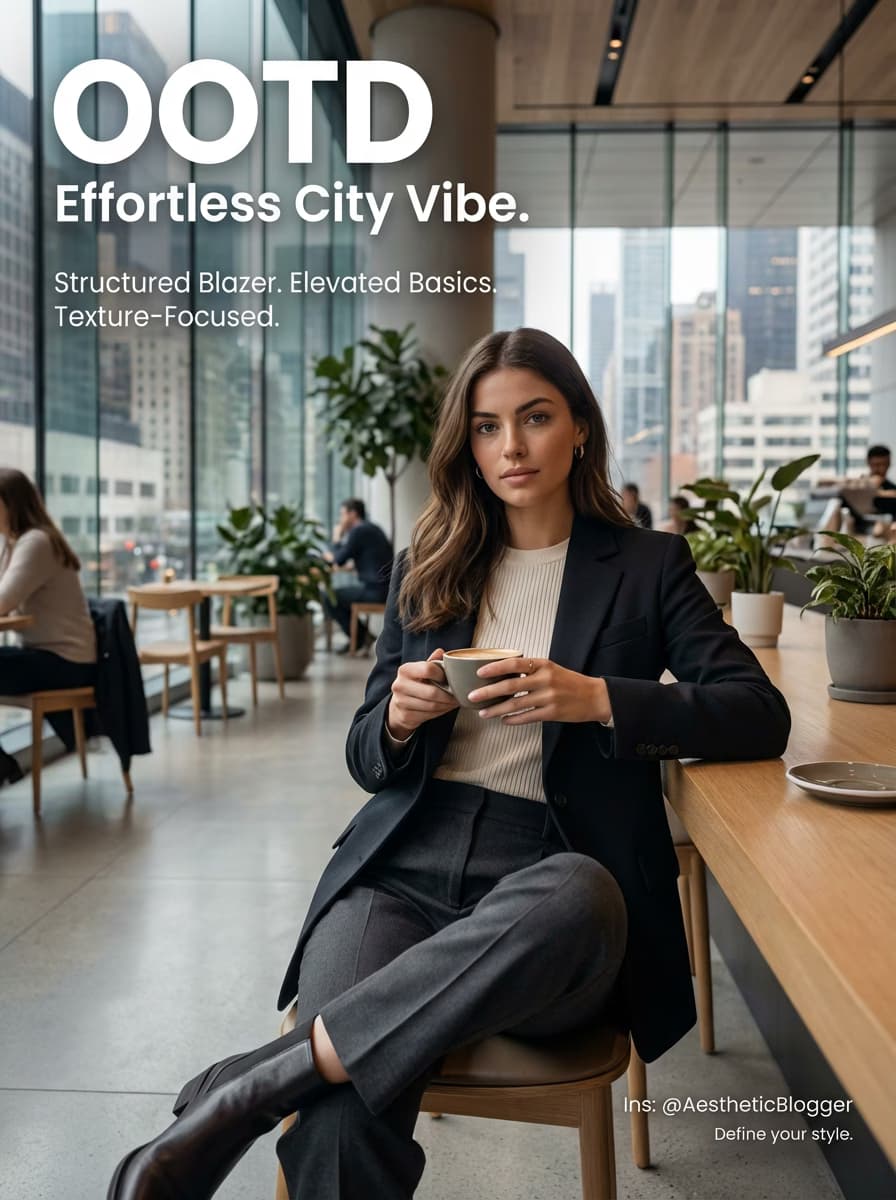
Add minimalist typography and instagram-style text overlay to OOTD, food, and lifestyle photos.
Start here
Upload a photo to begin
JPG, PNG, WebP, or HEIC. We generate captions and layouts after upload.
Up to 10MB. Drag and drop or click to choose a file.
Why it feels easy
The homepage keeps the three capabilities that most directly move you from upload to share-ready export.
Our AI analyzes your photo and generates bilingual captions that match the mood, scene, and story of your image.
Choose from curated templates for GPS overlays, aesthetic polaroid frames, and instagram-ready typography.
Export high-resolution posters at 2x quality, ready for printing or pixel-perfect social media sharing.
3-step flow
You should be able to start, edit, and export without reading a manual.
Drop any JPG, PNG, WebP, or HEIC image. We'll extract EXIF data automatically.
Our AI analyzes your photo and creates captions, location text, and typography that fit the image.
Pick a template, adjust framing, and export your text overlay image in HD quality.
Creators use TextOverlay to turn everyday photos into shareable designs.
Photos Processed
10K+
Posters Created
Templates
2+
Curated Styles
Time to Create
30s
Average
Start with Basic for steady monthly credits, fast iteration, and low-risk billing.
A simpler monthly plan for lighter workloads and occasional exports.
Includes
Good for consistent personal use.
A balanced monthly plan for creators who edit often and need reliable credits.
Includes
A strong default once free usage is no longer enough.
Highest monthly credit volume for teams and power users.
Includes
Best value if you create at scale.
Answers about photo text overlay, polaroid frames, captions, and travel photo text.
Text overlay means adding captions, titles, location text, or decorative typography on top of a photo. TextOverlay helps you do that online with AI-assisted styles and templates.
Upload a photo, choose a template, let AI generate captions or location text, then adjust the framing and export your final image.
Yes. TextOverlay includes styles inspired by aesthetic polaroid frames, handwriting overlays, and cozy daily photo layouts.
Yes. Travel templates can use your photo metadata to generate GPS coordinates, date details, and location overlay text for trip photos.
Yes. TextOverlay is built for instagram-ready captions, minimalist typography, and social-friendly photo text layouts.
TextOverlay supports JPG, PNG, WebP, and HEIC formats. You can upload images up to 10MB in size.
TextOverlay offers free basic usage. For higher-quality exports and advanced AI features, check out our pricing plans.
Create a caption-ready poster, polaroid frame, or travel overlay in a few guided steps.